


Pianist is a virtual piano for the iPhone and iPod Touch. Use it as a musical scratchpad when away from the studio, or as an instrument to jam with your friends. Pianist was first released back in 2008 - the original iPhone piano. Since then a huge number of piano apps have come and gone, but Pianist remains a firm favorite thanks to the simple and intuitive interface and great sound.

Play the Piano
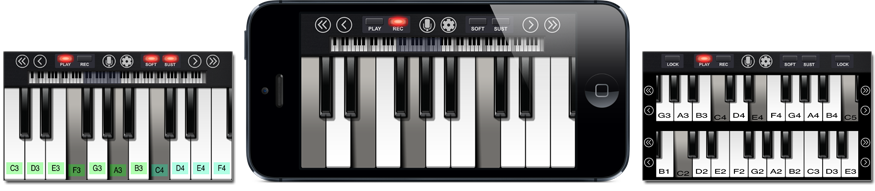
Navigate the full 88 key piano keyboard with easy-to-use scroll buttons and optional colour-coded key labels. Use “Soft” and “Sustain” buttons to add expression to your song, and vary your velocity by pressing further up the key. Zoom into or out of the keyboard, and switch between a single or dual rows of piano keys.
Record a Song
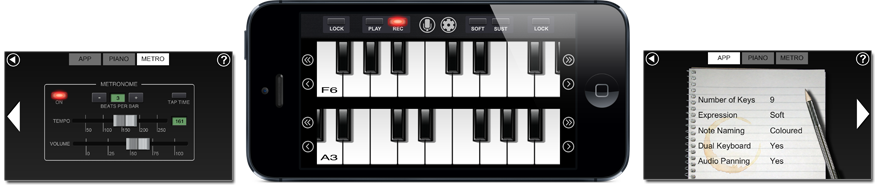
Record your performance and save it for posterity. Overdub an unlimited number of times to add complexity or build up a song that requires continuous access to a wide range of notes. If you make a mistake then you can undo by erasing the last recorded track. Use the built-in metronome to keep in time.
Critical Acclaim
Pianist was the first widely-available mobile multi-touch piano. It has been featured in a number of Apple advertising campaigns, reigned for many years in the iTunes Top 100 Music Apps list, and was one of the "Awesome iOS4 Apps" in an Apple iTunes promotion. It was picked by Sound on Sound Magazine and T3 Magazine for their top iPhone apps, and recommended by media sources such as The Mail On Sunday and Fox News.